TCP/UDP Capture
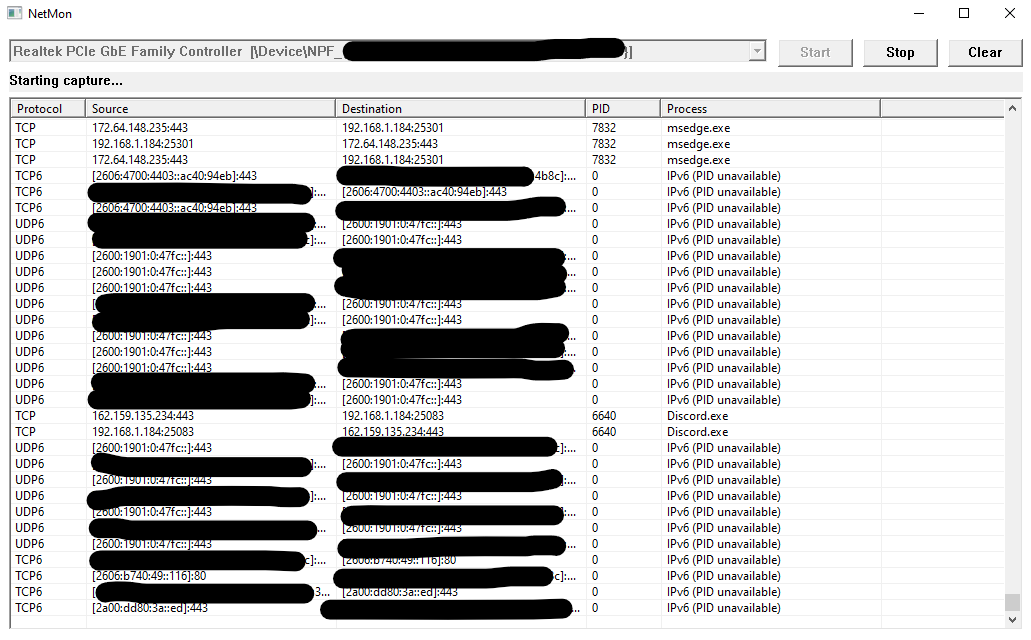
Capture network packets through Npcap and monitor traffic on a selected network interface.
A lightweight Windows network analyzer (I'm looking at you, Wireshark.) for inspecting traffic, exploring connections, and looking closer at the packets moving across your network.
Download NetMon Explore featuresCapture network packets through Npcap and monitor traffic on a selected network interface.
Inspect source and destination IP addresses, ports, and protocols.
Examine packet contents as hexadecimal bytes alongside their text representation.
See which program is associated with network traffic whenever identification is possible.
NATIVE WINDOWS WRITTEN IN C WIN32 API NPCAP
Select an interface, start a capture, and inspect the traffic passing through it. NetMon gives you access to packet endpoints and raw packet contents in one native Windows application.
No complicated setup inside the application. Just select your interface and start sniffing.
Requirements: Windows 7, an internet connection. Packet capture may require administrator privileges.